i got into vim motions because i was learning touch-typing and got tired of my hands leaving the home row. installed the vim emulation plugin on vscode, which was fine until it wasn’t. eventually i just bit the bullet and ran vimtutor. the first week was miserable. the second week was slightly less miserable. by the third week i was still miserable. as time went, i got used to the motions.
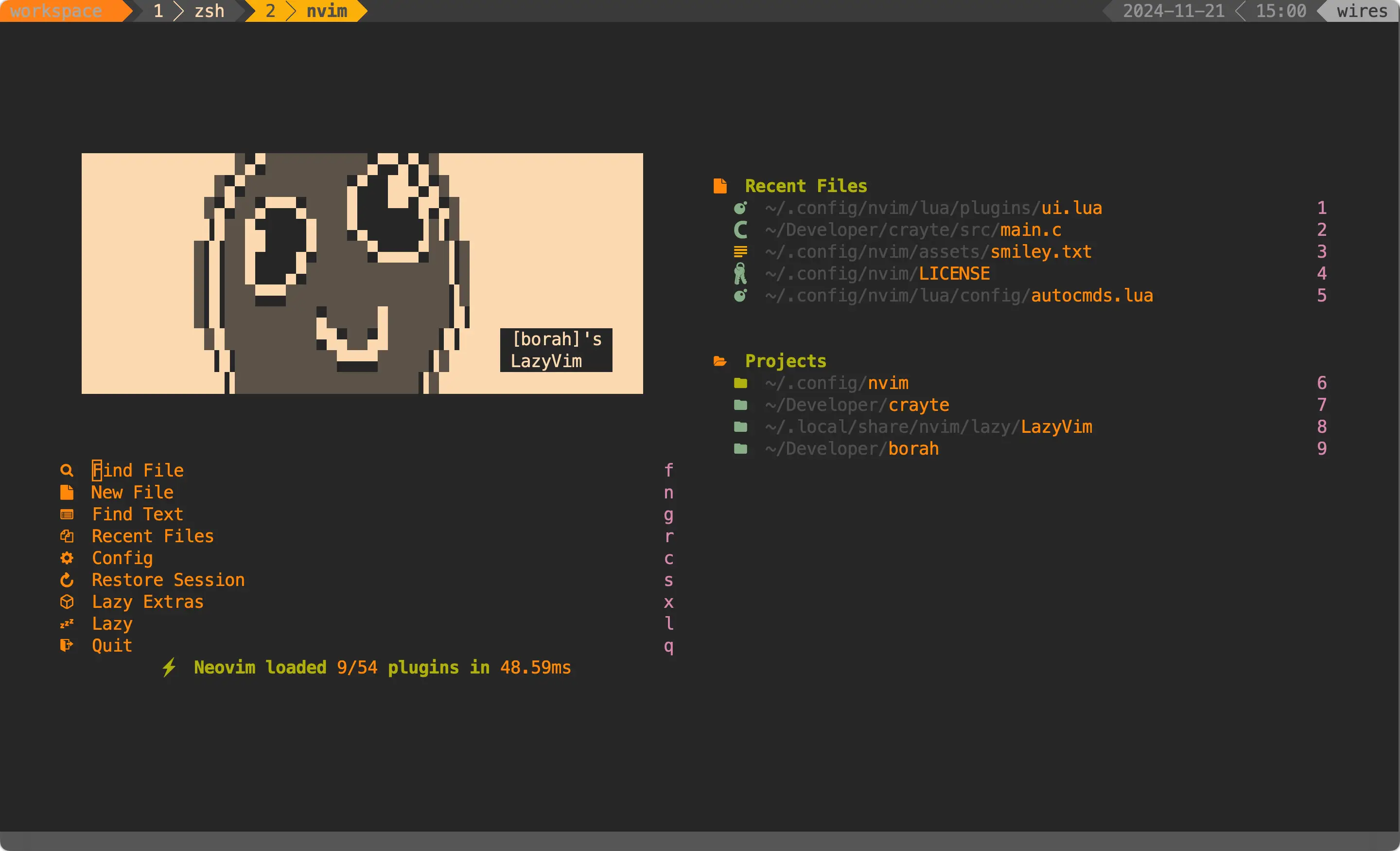
started with vanilla neovim and packer. tried a few configs off github and youtube. went through the phase of building my own from scratch because i was feeling adventurous. eventually landed on lazyvim as a base, it handles the boring stuff like plugin management and lazy-loading so you can focus on the parts that actually matter. this is my fork.
here is the github repo!
as a disclaimer, i update this whenever i remember to, so things might be broken. you’ve been warned.
what i changed
it started as a clean lazyvim install. you can’t leave well enough alone, right?
gruvbox, obviously. i put it on everything.
some funny ascii art in the startup screen via snacks.nvim. makes opening it feel less sterile. small thing, but it matters.
ui stuff: neo-tree on the right (more room for code, doesn’t get in the way while toggling), lualine themed to match, incline for floating file info, noice with lsp borders, nvim-notify. i played around with transparency too. currently off, but the option’s there.
dev stuff
codeium instead of copilot. <C-g> accepts, <C-]>/<C-[> cycles, <C-x> clears. toggle with telescope when you need focus and don’t want a robot finishing your sentences.
VimTeX for LaTeX with skim as the pdf viewer. i don’t write LaTeX as often as i used to but when i do, this workflow saves me.
C++ workflow: clangd and cmake-language-server for lsp, plus <F10> to compile and run with address sanitizers:
vim.keymap.set("n", "<F10>", function()
  vim.cmd("w")
  vim.cmd("!g++ -fsanitize=address -std=c++17 -Wall -Wextra -Wshadow -DONPC -O2 -o %< % && ./%< < input.txt")
end, { noremap = true, silent = true, desc = "C++ compile/run with sanitizer" })
reads from input.txt for quick testing. saved me a bunch of time. i use the same flow for grokking leetcode problems locally when i don’t want to deal with the browser ui.
render-markdown.nvim for live preview. lazygit integration so i don’t have to leave the terminal. vim-tmux-navigator for pane jumping between neovim and tmux. vim-visual-multi for multi-cursor editing. spell check on for text files, off for JSON because nobody needs red squiggles under their keys.
oh, <Tab> mapped to % for jumping between brackets. im used to it over the defaults now.
structure
split into modular files under lua/plugins/: colorscheme, coding, lsp, tex, ui. easier to find what you need than hunting through one giant config file and forgetting which line broke everything.
what you need
- neovim (i mean cmon now)
- fzf
- lazygit (nicer git integration)
- a C++ compiler (i’m using gcc via homebrew on macOS) if you want the compile/run feature
i wouldn’t recommend copying my config wholesale. the point is making it yours. but if you’re looking for a reference, there you go.
that’s about it. thanks for reading, and may your config never break on a monday morning.