hermes agent is an open-source autonomous ai agent built by Nous Research. it has a built-in learning loop, it creates skills from experience, persists knowledge across sessions, searches its own conversation history, and builds a model of who you are over time. it runs locally, connects to any LLM provider, and can be reached via Telegram or Discord while it works on your machine.
i set up Hermes Agent on my thinkpad sl400. here’s what actually happened.
why
i already have a proper hermes + opencode setup on my main machine, but this blog isn’t about that.
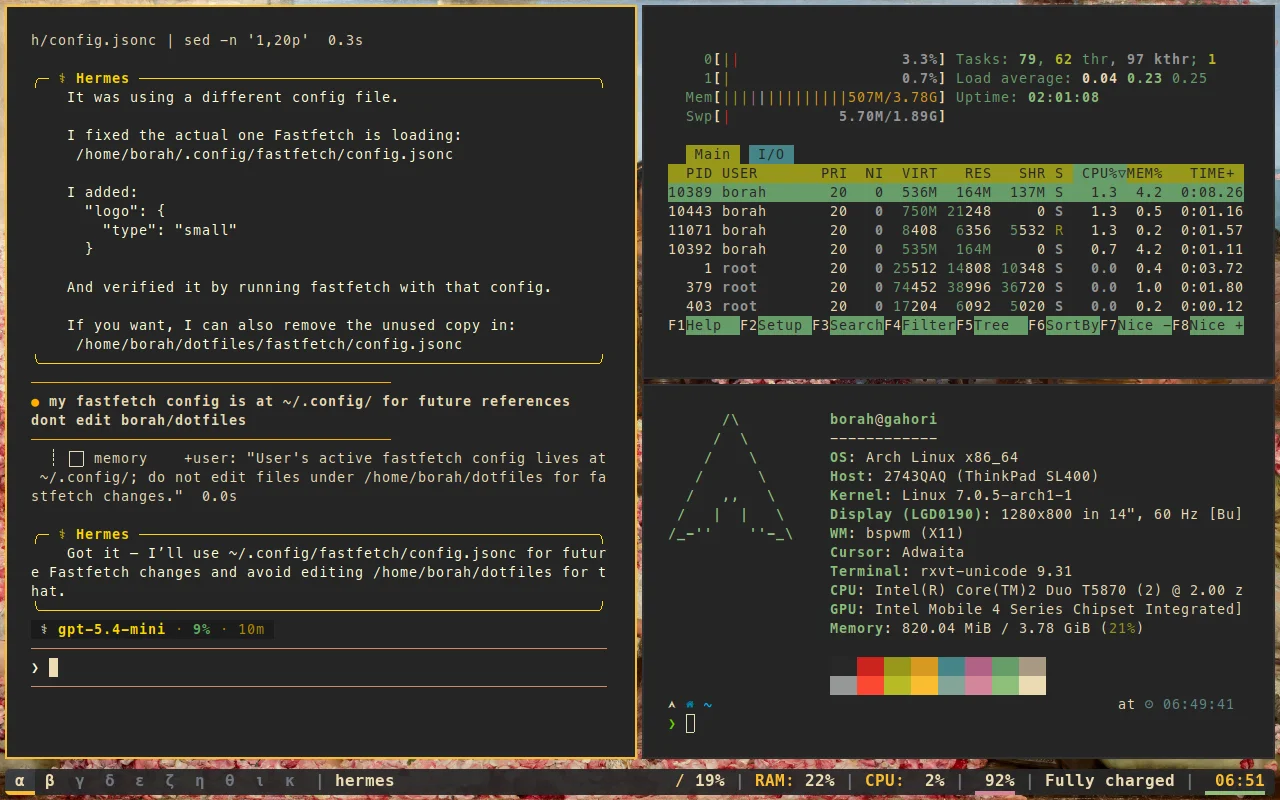
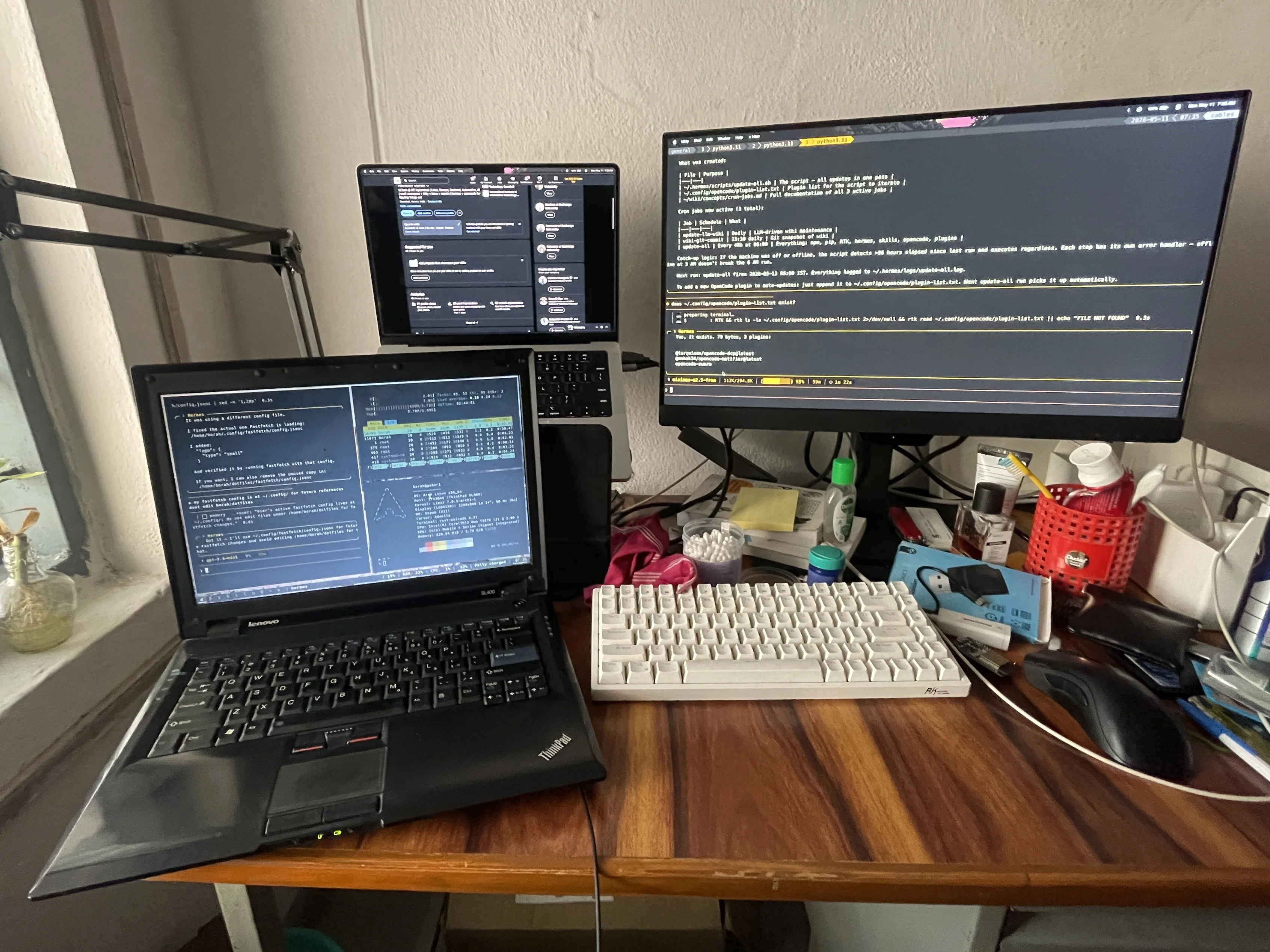
in the middle of the night, i get this (not so) clever idea to set up hermes on my ThinkPad SL400 (which i got for 4k from koti, hyderabad for 4k inr, in hindsight i might have overspent). intel core 2 Duo, 3GB RAM, 250GB HDD, 1280x800 LVDS panel. i’ve been running arch linux on it for quite some time now (repurposed my old arch dotfiles). it gets you to understand what’s actually happening underneath, which is a deliberate choice to make simple things harder for yourself.
when i wanted a proper ai agent setup, not just a chatbot but something with memory, skills, scheduled tasks, and multi-platform delivery, i didn’t want to spin up a cloud vm and forget about it. i wanted it running locally, on this machine, because the whole point of having a personal agent is that it lives with you. so i put hermes agent on the sl400.
this blog is about what that actually involved, what broke (mostly font issues), and how i fixed it.
the machine and OS
the sl400 runs arch linux with bspwm as the window manager and the terminal is urxvt. display is 1280x800 on LVDS-1, handled by xrandr at native resolution. the initial dpi was set to 108 which made everything feel zoomed in, that was the first thing i fixed by setting it to 96 and reloading with xrdb -merge ~/.Xresources. considering it is a legacy hardware, i had to debug several other compositor bugs (transparency on picom broke, etc), deprecated keyring errors (haven’t updated the system in ages), and other misc issues which is a time sink in itself to be frank.
the config:
- distro: arch
- wm: bspwm
- hotkey daemon: sxhkd
- status bar: polybar
- terminal: urxvt
- shell: zsh (with omz and p10k)
installing hermes
hermes has a one-liner install as provided on their page:
curl -fsSL https://raw.githubusercontent.com/NousResearch/hermes-agent/main/scripts/install.sh | bashthis installs uv, Python 3.11, Node.js, ripgrep, ffmpeg, and the hermes cli itself. on the sl400 it took about ~15 minutes (mostly due to the slow internet), which is fine as the machine is not in a hurry.
after install:
hermesfirst run initializes the config at ~/.hermes/. the directory structure:
~/.hermes/
├── SOUL.md         # agent persona
├── memories/
│   ├── MEMORY.md   # environment facts
│   └── USER.md     # user preferences
└── hermes-agent/   # clone of the repo
i kept the SOUL.md minimal and just the default template. the memories are where it gets interesting: these persist across sessions so the agent learns about the machine over time. if you’re using hermes, you must’ve already been familiar and accustomed to it by now.
terminal font setup (where things broke)
the first real problem was not Hermes, but rather it was the terminal.
hermes uses Powerlevel10k (p10k) for its prompt. p10k needs a nerd font to render the status icons. on my machine, the icons were partially working in fastfetch (my system info tool) but missing in the actual terminal prompt. the clock icon, some status glyphs, the activity indicators: all broken.
diagnosis:
echo $TERM
fc-match
fc-list | grep -i nerd
cat ~/.zshrc
cat ~/.Xresources
xrdb -query
what i found:
TERM=rxvt-unicode-256colorrunning in urxvt- p10k was configured for nerd font v3
- MesloLGM Nerd Font Mono was installed and covering most glyphs
- some icons were falling back to FreeSans, meaning Meslo didn’t have every glyph Hermes uses
- the system had a symbols-only Nerd Font pack under
~/.local/share/fonts/NerdFontsSymbolsOnly ttf-noto-nerdwas also installed
the fix was to build a font stack in ~/.Xresources and ~/.Xdefaults so urxvt has fallbacks:
URxvt.font: xft:NotoSans Nerd Font:style=Regular:size=10,\
             xft:MesloLGM Nerd Font Mono:style=Regular:size=10,\
             xft:Symbols Nerd Font Mono:style=Regular:size=10
then:
fc-cache -f ~/.local/share/fonts/
xrdb -merge ~/.Xresources
after reloading, the icons rendered correctly. the key insight: Meslo was not broken, it just doesn’t cover every glyph. adding NotoSans Nerd Font and the Symbols Nerd Font Mono as fallbacks seemed to fix most if not all of the issues.
the hermes configuration
the config lives at ~/.hermes/config.yaml. i set up my model provider and API key (im using opencode zen, go, github copilot api, openrouter), then ran hermes model to select my preferred LLM. since the SL400 is a light machine, i route the actual inference to a remote endpoint, the local side just handles orchestration, tool calls, and memory.
skills are stored in ~/.hermes/skills/ and loaded on demand. the agent can create new skills autonomously after complex tasks and this is the learning loop part. over time, the skill directory grows with reusable workflows specific to how i work.
cron jobs run via the built-in scheduler. daily reports, weekly audits, anything you can describe in natural language gets scheduled and delivered wherever you want (Telegram, Discord, etc.). i have a few cron jobs running to check system health on the sl400 and send alerts.
what the memory system does
the MEMORY.md and USER.md files are the persistent layer. after a troubleshooting session, the agent can write what it learned to memory so it doesn’t need to rediscover it next time.
current memory entries on the sl400:
- the Nerd Fonts symbols-only pack location
- the LVDS-1 1280x800 display configuration and the DPI fix
- the font stack composition
- user preference: no UI glyph changes without explicit request; prefer broadening fallback coverage
the agent checks these on startup and during conversation. this is the part that makes Hermes feel like it actually knows the machine and not just the current session, but the history of it.
current state
the sl400 runs hermes as a daily driver now. it’s not crazy fast, the agent response time is bounded by network latency to the model endpoint, but the local layer (memory, skills, cron, tool execution) runs entirely on-device. the gateway can be reached via Telegram when i’m afk, which means i can check on the machine, run diagnostics, or trigger tasks from my phone.
other important pointers:
- p10k icon rendering is a font stack problem, not a GPU problem. i initially thought the LVDS panel or Intel GMA graphics were the culprit. they weren’t.
- Meslo Nerd Font covers most glyphs but not all. hermes uses a few icons that resolve to FreeSans fallback, which means broken glyphs instead of the right symbols.
thank you dear viewer for reading this! it means more than you think.